Tutorial: Feinberg Library Home Page
The Feinberg Library home page is the best place to start most of your assignments for this semester, as well as where you should go to begin any sort of research assignment while you’re at Plattsburgh.
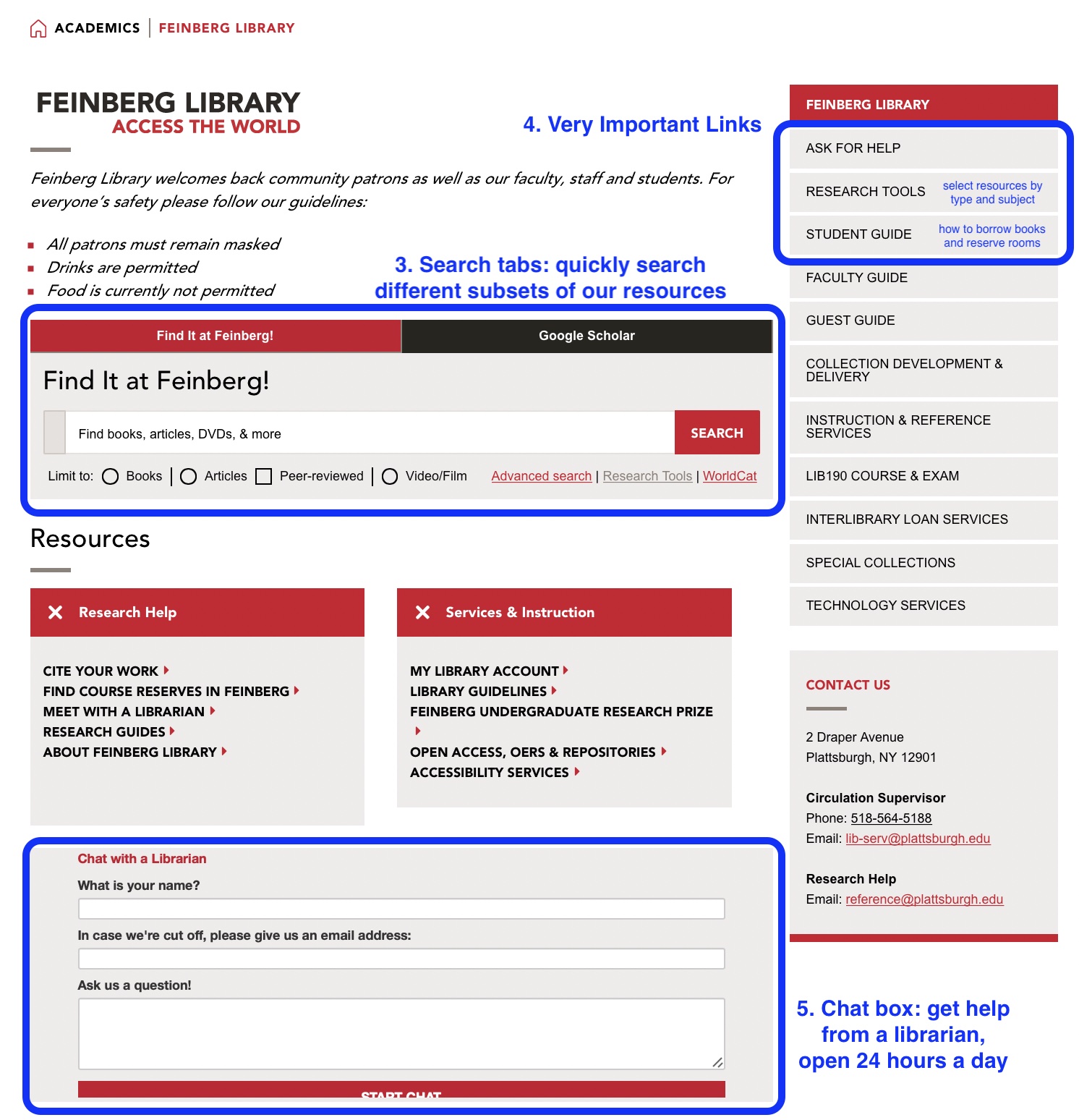
Let’s look at the five most important areas of this page for your research.
The library URL: https://www.plattsburgh.edu/academics/library
Today’s library hours are given in the text box on the masthead image. There’s a link there, and in the menu on the right-hand side of the screen, to a full calendar of library hours.
Two search tabs allow you to search different subsets of library resources.
- Find It at Feinberg! searches for materials that you can access immediately. Some are books or DVDs that are shelved in the Feinberg Library building. Others are digital books or journal articles that you can download to your computer.
- Google Scholar searches the widest possible range of scholarly journal articles and books, and includes links to versions made available by Feinberg Library as well as freely-available versions.
Links to three very important pages:
Research Tools compiles a list of all our databases and catalogs that allows you to quickly find the best resources according to the subject you’re studying and the kind of information you need.
Ask for Help has our email address, a form to make an appointment with one of Feinberg’s librarians, and a chat box from which you can communicate with a librarian 24 hours a day.
Student Guide has information on our borrowing policies, our Textbooks on Reserve program, reserving rooms, among other things.
24/7 chat box: Ask a question. A librarian from a nationwide cooperative will answer; if they can’t give you a full answer they’ll forward the question to a Plattsburgh librarian for followup.
Here’s a screenshot:

This work is licensed under a Creative Commons Attribution 4.0 International License.